 EasyClear
Smart Clean
One scan sorts your library into duplicate photos, similar shots, screenshots, Live Photos, and near-identical videos — each ready to clear as a group.
48.2 GBfound in a single pass, in the sample libraryStorage cleaner for iPhone
EasyClear digs out the duplicate shots, forgotten screenshots, and oversized videos eating your storage — and clears them in a few taps.
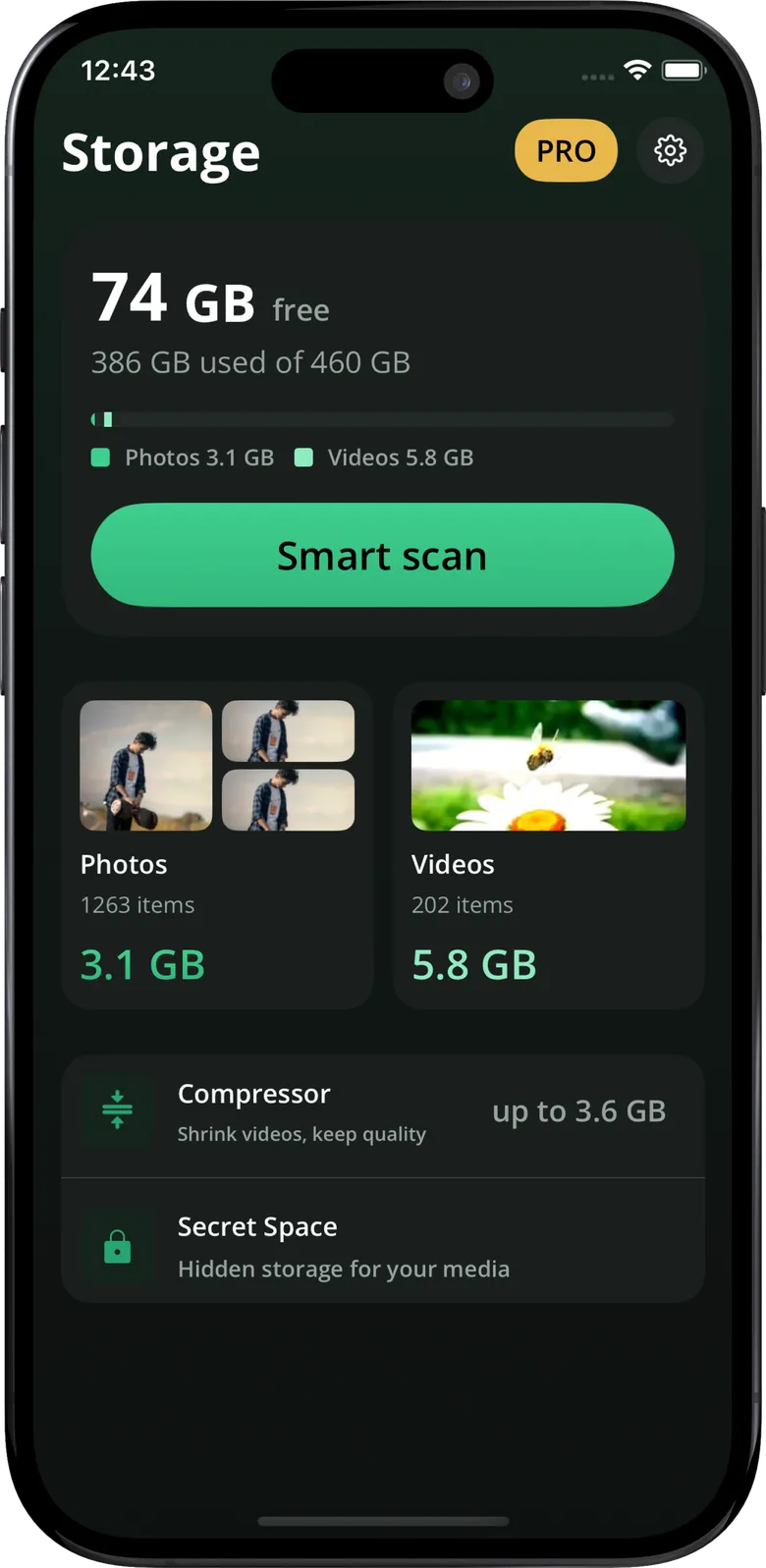
What's inside
Photos pile up in near-duplicates. Videos are heavier than they need to be. Some things you'd rather nobody scrolled into. EasyClear handles each of those.
One scan sorts your library into duplicate photos, similar shots, screenshots, Live Photos, and near-identical videos — each ready to clear as a group.
48.2 GBfound in a single pass, in the sample libraryShrink a heavy video to Light, Balanced, or Maximum. You see the new size before you commit — then keep the clip, lose the weight.
A four-digit vault for photos and videos you'd rather keep to yourself.
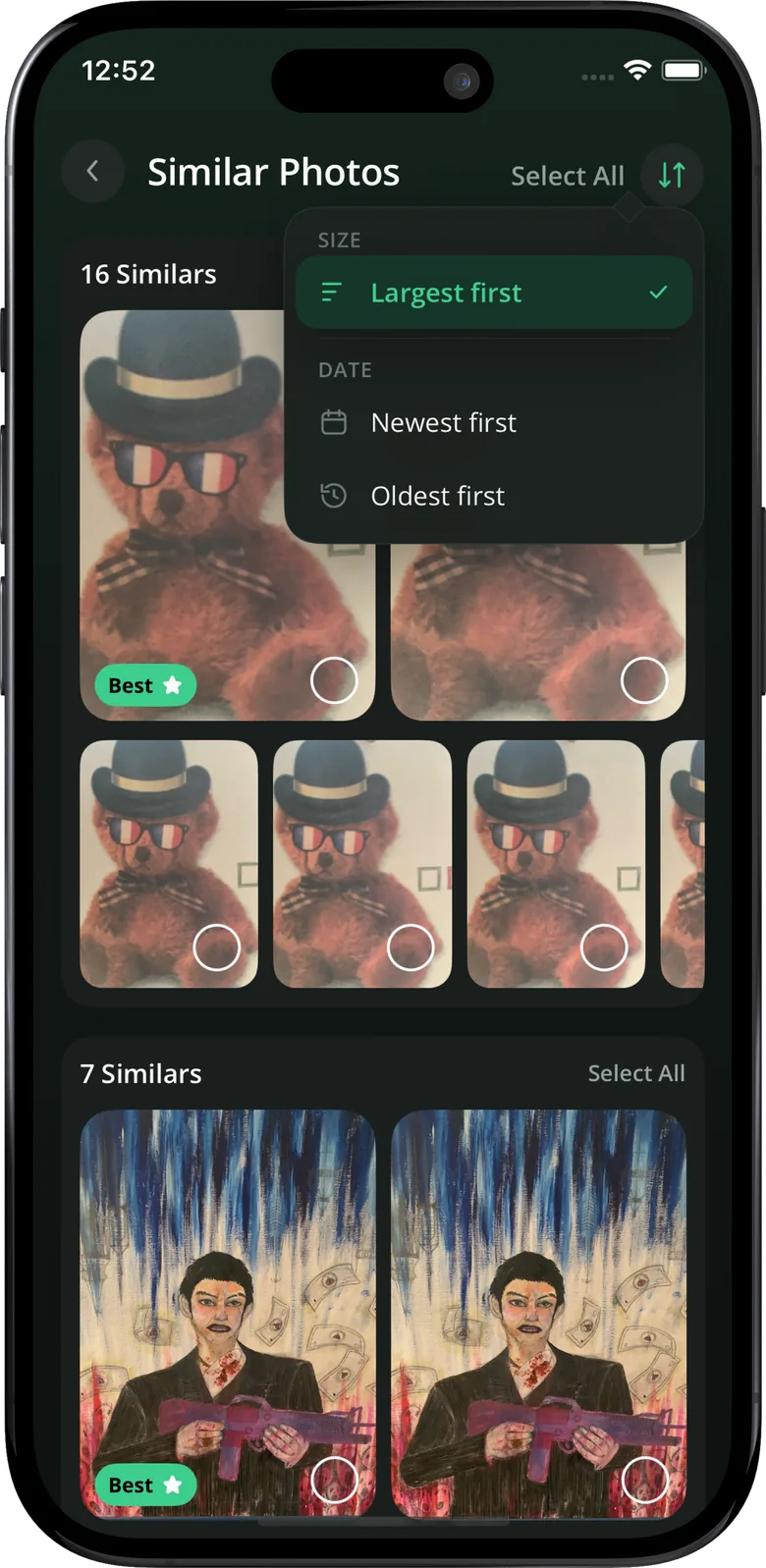
Bursts of near-identical shots get a "Best" pick, so you keep the keeper and drop the rest.
Free versus used at a glance, with photos and videos broken out and a scan a tap away.
A closer look
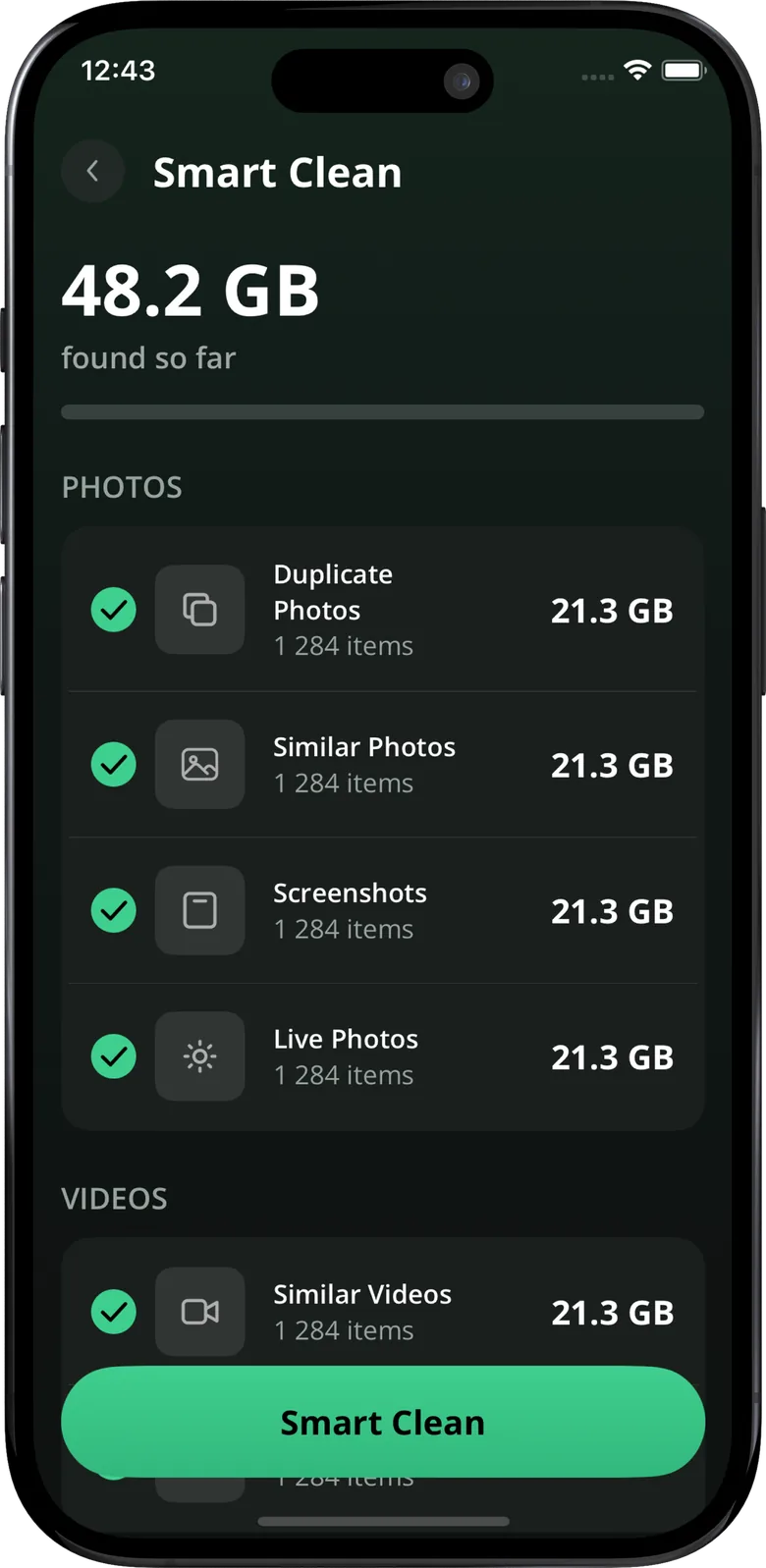
Instead of scrolling years of camera roll, you get grouped stacks with real sizes attached, so the biggest wins are obvious.
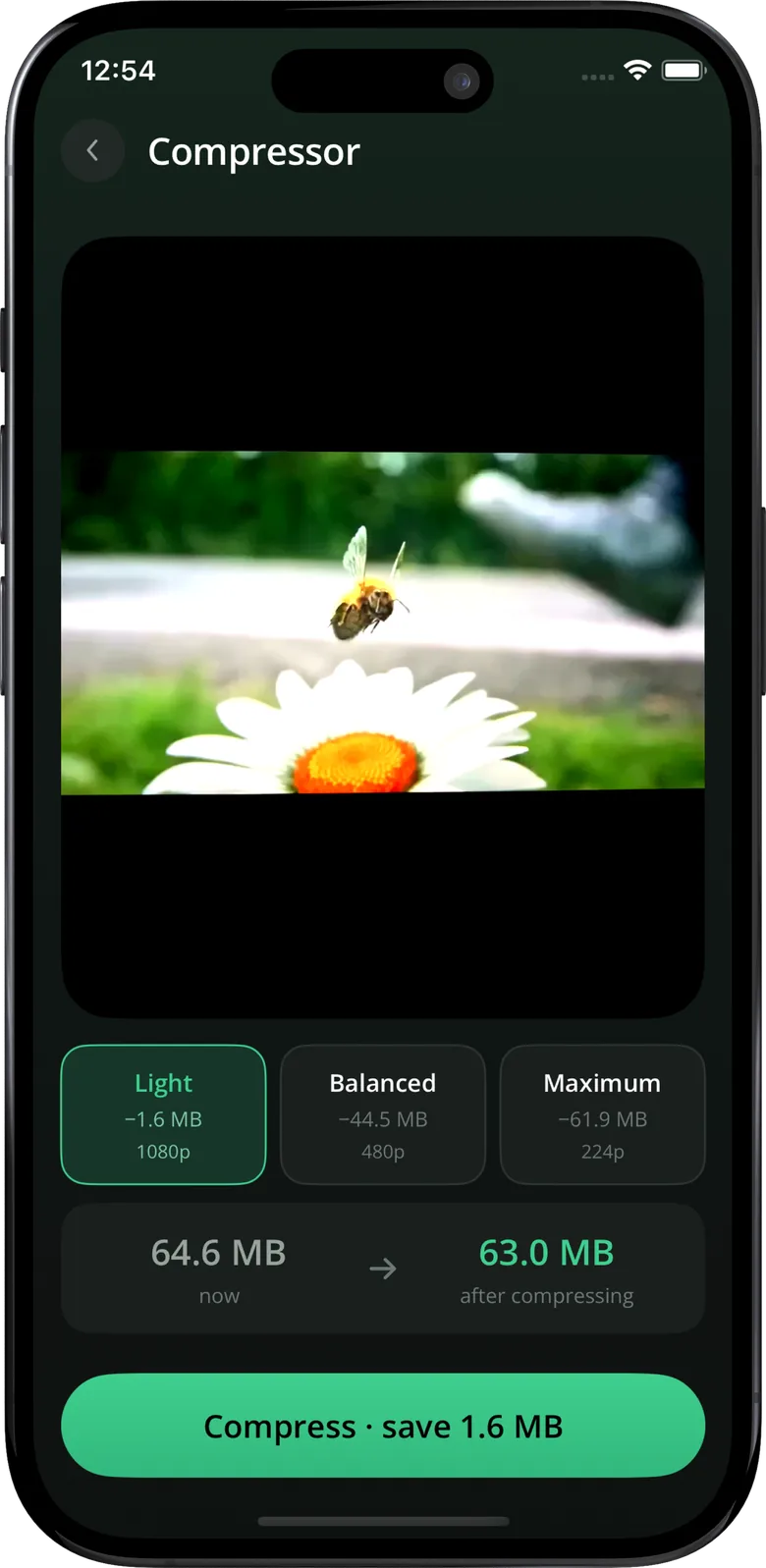
Keep the clip, lose the weight
Pick a level and EasyClear tells you the new file size and how much you'll save before anything changes. The video still plays the way you remember it.
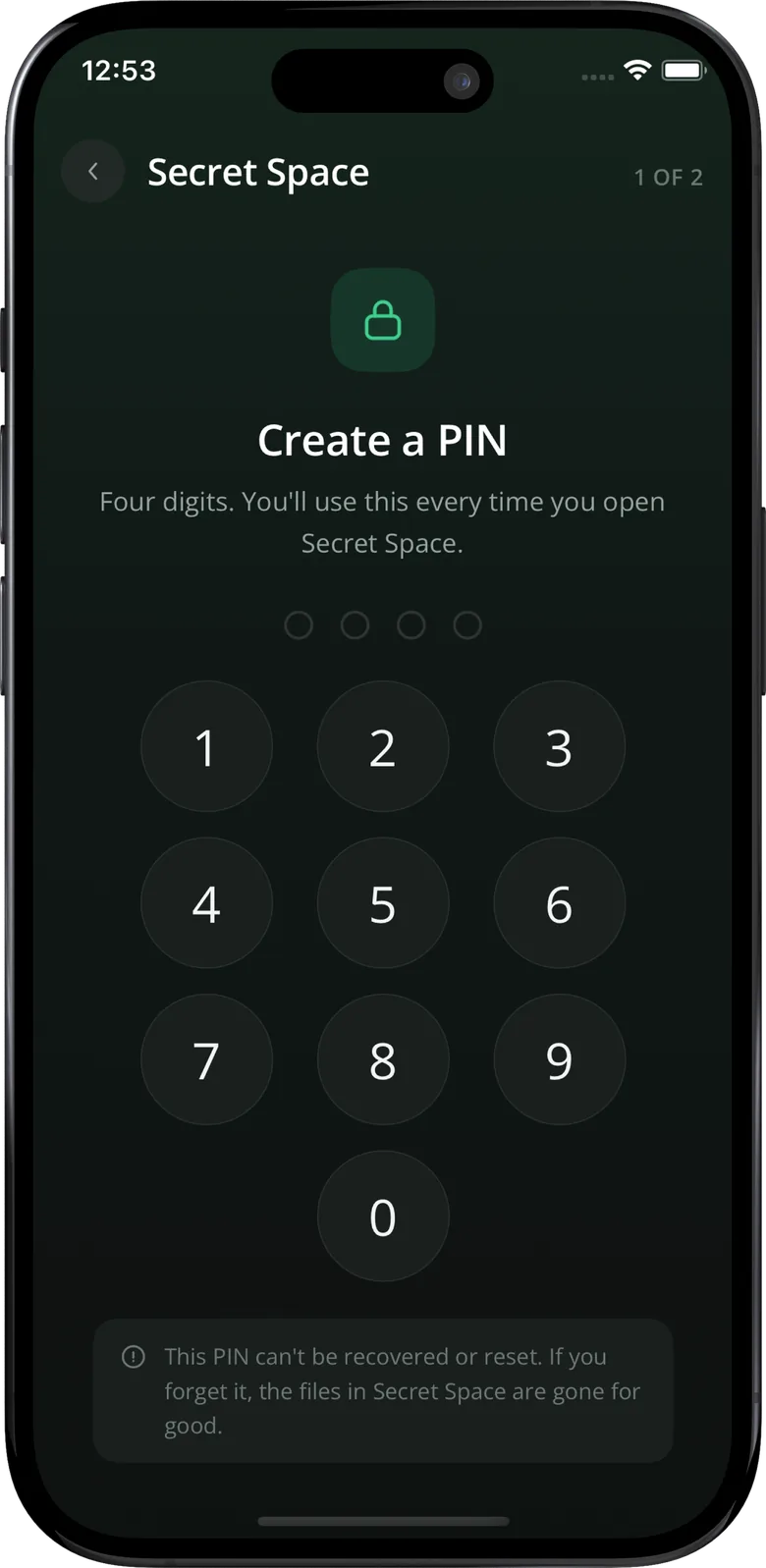
Move photos and videos out of your main library and behind a four-digit PIN. They stop showing up when someone else is scrolling through your phone.
Every screen
Big numbers, honest sizes, and one clear action at the bottom of each screen.
EasyClear does the sorting; you make the call. Space comes back, the photos you actually care about stay exactly where they were.